
Overview
A controllable AI wear-texture tool for 3D asset production. Starting from an unworn model, the pipeline covers model checks, six-view rendering, material description, AI generation, UV back-projection, seam repair and intensity control, and outputs UV wear masks with adjustable intensity plus per-material region maps. Input formats are FBX, OBJ, GLB and glTF; masks are exported as 8-bit grayscale PNG or TGA.
Model preparation and six-view rendering
The tool checks UVs automatically: models with valid UVs use uv_model mode and keep their original layout, while models without UVs use plain_model mode and are unwrapped automatically. Three lighting modes are available: Studio keeps material appearance, Flat World reduces shading variation, and Albedo outputs base color directly. Six orthographic views are rendered together with Alpha, Depth, Position and Camera data. RGB and Alpha feed AI generation, Depth constrains geometry, and Position and Camera drive multi-view back-projection.
Material recognition and AI generation
Object name, material type and surface finish can be entered manually or recognized by a vision-language model, with one editable row per material; recognized values are written into the same inputs. Prompts are split into independent modules for object, material, intensity, geometry preservation, Depth, Mask and Output, which can be combined, removed or replaced. Cloud back ends are Gemini and GPT Image, both of which receive the six-view Grid and Depth Grid with prompts describing the camera and geometry relationship. Locally, ComfyUI loads Flux, Qwen, SDXL and custom API JSON workflows, and SDXL can use ControlNet Depth.
Multi-view back-projection and seam repair
AI results live in 2D views, while materials need masks in UV space, and the views differ in position, occlusion and edge seams. The tool first aligns the AI results with the source views, then uses the Position Map, Camera Matrix and Depth Map to find the visible pixel for each UV texel and blends the samples weighted by view quality. Content seams are grouped by world position so both sides of the same surface share one value; sampling seams are padded outward from each UV island with a distance field to keep bilinear sampling continuous.
Intensity control and production output
AI generates a single heavy-wear source mask; each intensity level is derived by thresholding, and adjacent levels are interpolated per pixel for interactive preview. This reduces model calls and inference cost and keeps wear placement and detail consistent across levels. After loading the color texture, material regions can be assigned per UV island; each material gets its own mask and the main material receives the remaining area. Masks are exported as PNG or TGA for Substance, Blender and Unreal Engine.
Wear results
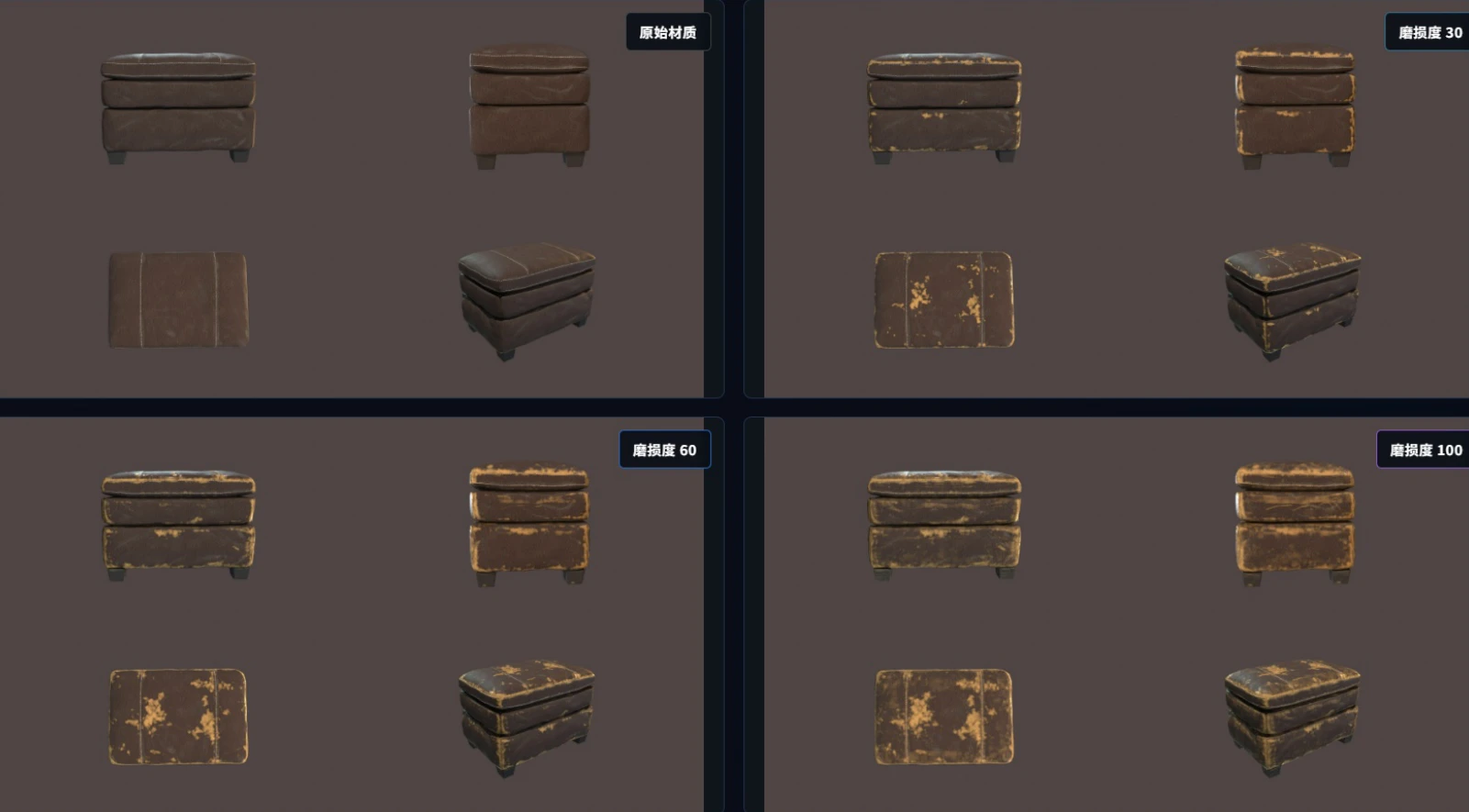
Actual output for three cases: a leather ottoman, a red metal paint can and a blue painted barrel. Drag the divider to compare the original and worn materials; use the buttons to switch between levels 30, 60 and 100.
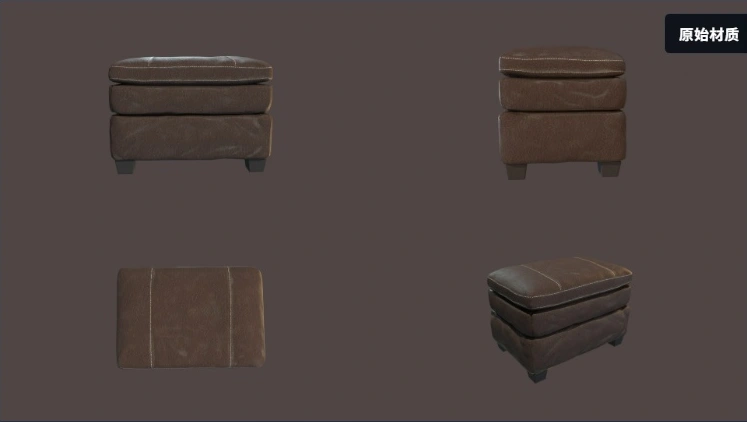
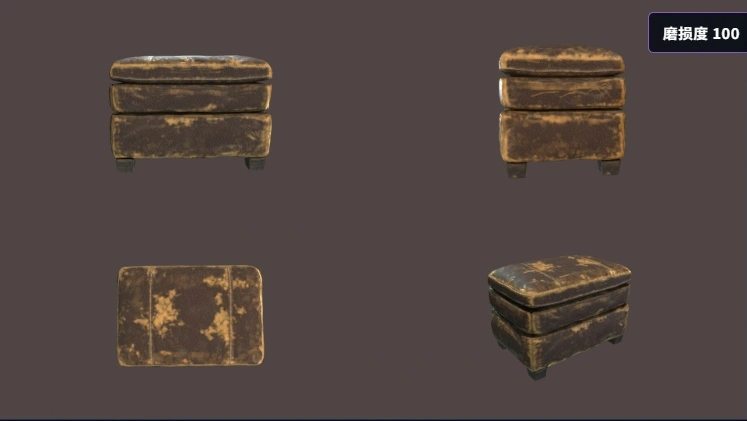
Drag the arrows left or right to compare the original and worn material.
Appendix: projection and seam source (Python · 3 functions)
backproject_level
Combines view samples using visibility and view quality, including UV texels without coverage.
def backproject_level(diff_maps,visibility,proj_cfg,view_quality=None):
    n=len(visibility[0]["px"]); weights=np.zeros(n,np.float32); count=np.zeros(n,np.int16); per=[]; sampled=[]; view_weights=[]
    quality = list(view_quality or [1.0] * len(visibility))
    for index,(image,vis) in enumerate(zip(diff_maps,visibility)):
        v=sample_image(image,vis["px"],vis["py"],bool(proj_cfg.get("bilinear",True))); w=np.asarray(vis["weight"],np.float32)
        w=w*float(quality[index]); sampled.append(v); view_weights.append(w); weights+=w; count+=(w>0); per.append({"visible_ratio":float((w>0).mean()),"quality":float(quality[index])})
    values=np.stack(sampled,axis=0); confidence=np.stack(view_weights,axis=0); mode=str(proj_cfg.get("fusion","max_confidence"))
    if mode == "weighted_mean":
        out=np.zeros(n,np.float32); np.divide(np.sum(values*confidence,axis=0),weights,out=out,where=weights>0)
    elif mode == "max_confidence":
        relative=np.divide(confidence,np.maximum(np.max(confidence,axis=0,keepdims=True),1e-8),where=np.ones_like(confidence,dtype=bool))
        score=np.where(confidence>0,values*relative,-1.0); index=np.argmax(score,axis=0); out=values[index,np.arange(n)]; out[weights<=0]=0
    elif mode == "top2_consensus":
        order=np.argsort(confidence,axis=0); best=order[-1]; second=order[-2] if confidence.shape[0]>1 else best; columns=np.arange(n)
        high=values[best,columns]; low=values[second,columns]; second_valid=confidence[second,columns]>0
        pair_min=np.minimum(high,low); pair_max=np.maximum(high,low); keep=float(proj_cfg.get("disagreement_keep",.35))
        out=np.where(second_valid,pair_min+keep*(pair_max-pair_min),high); out[weights<=0]=0
    else:
        raise ValueError(f"未知投影融合方式: {mode}")
    return out.astype(np.float32),weights,count,per
build_content_seam_groups
Groups samples by 3D voxel position and selects samples separated in UV space but close on the surface.
def build_content_seam_groups(points,ys,xs,shape,seam_cfg):
    pts=np.asarray(points,np.float32); ys=np.asarray(ys,np.int64); xs=np.asarray(xs,np.int64)
    params=seam_pixel_params(shape,seam_cfg)
    if not len(pts):
        return [],{"voxel_size":0.0,**params}
    lo=pts.min(axis=0); diag=float(np.linalg.norm(np.ptp(pts,axis=0)))
    voxel=max(diag*float(seam_cfg.get("voxel_ratio",.006)),1e-6)
    keys=np.floor((pts-lo[None,:])/voxel).astype(np.int64)
    order=np.lexsort((keys[:,2],keys[:,1],keys[:,0]))
    sorted_keys=keys[order]
    boundaries=np.nonzero(np.any(sorted_keys[1:]!=sorted_keys[:-1],axis=1))[0]+1
    groups=[]
    for idx in np.split(order,boundaries):
        if len(idx)<2:
            continue
        uv=np.column_stack((ys[idx],xs[idx])).astype(np.float32); p3=pts[idx]
        rms_uv=float(np.sqrt(np.mean(np.sum((uv-uv.mean(axis=0))**2,axis=1))))
        rms_3d=float(np.sqrt(np.mean(np.sum((p3-p3.mean(axis=0))**2,axis=1))))
        if rms_uv>float(params["uv_split_px"]) and rms_3d<voxel*1.5:
            groups.append(idx.astype(np.int64,copy=False))
    return groups,{"voxel_size":voxel,**params}
repair_content_seam
Unifies weighted seam values and feathers the seam band using a distance transform, preserving values outside valid regions.
def repair_content_seam(mask2d,groups,ys,xs,weights,valid,seam_cfg):
    source=np.asarray(mask2d,np.float32); out=source.copy(); valid=np.asarray(valid,bool)
    ys=np.asarray(ys,np.int64); xs=np.asarray(xs,np.int64); weights=np.asarray(weights,np.float32)
    core=np.zeros(valid.shape,bool); target=np.zeros(valid.shape,np.float32)
    before=_group_gap(source,groups,ys,xs)
    for group in groups:
        gy,gx=ys[group],xs[group]; w=np.maximum(weights[group],0); total=float(w.sum())
        value=float(np.sum(source[gy,gx]*w)/total) if total>1e-12 else float(np.mean(source[gy,gx]))
        target[gy,gx]=value; core[gy,gx]=True
    feather=seam_pixel_params(valid.shape,seam_cfg)["feather_px"]
    if np.any(core) and ndimage is not None and feather>0:
        distance,indices=ndimage.distance_transform_edt(~core,return_indices=True)
        band=valid&(distance<=float(feather))
        nearest=target[indices[0],indices[1]]
        alpha=np.clip((float(feather)+1.0-distance)/(float(feather)+1.0),0,1).astype(np.float32)
        out[band]=source[band]*(1-alpha[band])+nearest[band]*alpha[band]
    else:
        band=core&valid; out[band]=target[band]
    out[~valid]=source[~valid]
    after=_group_gap(out,groups,ys,xs); count=int(band.sum()); valid_count=max(int(valid.sum()),1)
    return out,{"band_texels":count,"band_ratio":float(count/valid_count),"content_gap_before":before,"content_gap_after":after,"seam_groups":len(groups)}
Demonstration video
Technical content adapted from the author’s portfolio and project files.